

Moving High-Value Tech: Protecting Gaming Rigs and Home Offices in Lusail & West Bay

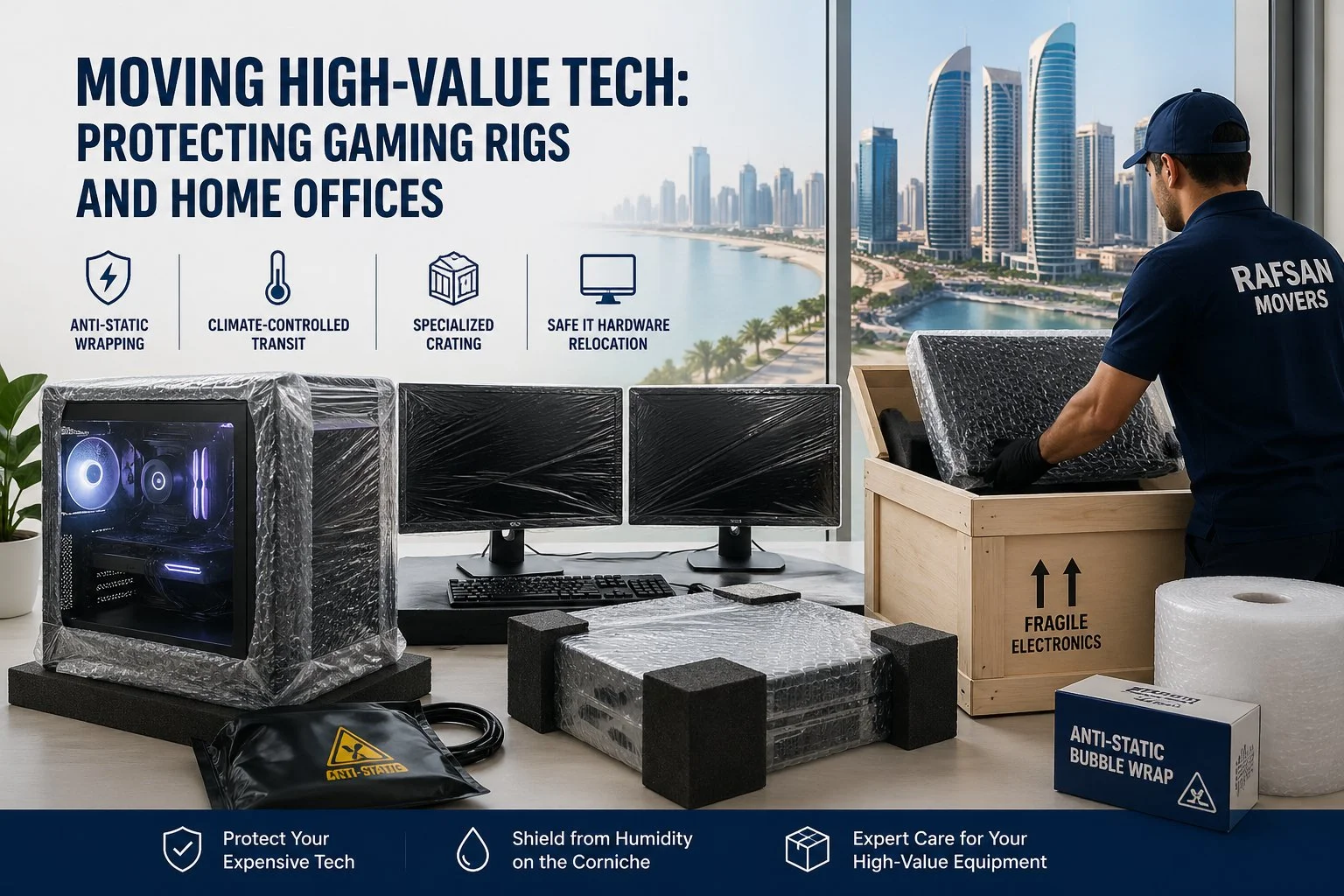
As remote work and gaming culture continue to surge in places like Lusail and West Bay, more households now own high-value, sensitive electronics from custom-built gaming PCs to dual-monitor workstations and even home servers. Moving these setups isn’t just about boxing items—it requires precision, technical awareness, and specialized protection methods.
In this guide, we’ll break down how to safely relocate your tech, with a strong focus on anti-static protection, climate-controlled transit, and secure crating solutions, especially critical in coastal environments like the Doha Corniche, where humidity can silently damage electronics.
Why High-End Tech Requires Specialized Moving
Unlike furniture or standard household goods, IT equipment is:
- Electrostatically sensitive
- Vibration-prone
- Humidity-reactive
- High in value and data importance
Whether you’re relocating a gaming setup or handling IT hardware relocation for a home office, improper handling can lead to permanent damage or data loss.
Anti-Static Wrapping: Your First Line of Defense
One of the biggest threats to electronics during a move is electrostatic discharge (ESD). Even a small static shock can destroy internal components.
Best Practices:
- Use anti-static wrapping for all internal components (GPU, motherboard, RAM)
- Store parts in anti-static bags, especially if disassembling your PC
- Avoid regular bubble wrap directly on components, as it can generate static
For full systems, professional movers often wrap entire towers in anti-static film before placing them in padded crates.
Custom Crating for Gaming Rigs & Dual-Monitor Setups
A high-end gaming rig or workstation isn’t just expensive; it’s complex. Custom crating ensures each component is immobilized and protected.
What Should Be Crated:
- Full PC towers (especially liquid-cooled systems)
- Dual or ultra-wide monitors
- NAS systems or home servers
- External GPUs and accessories
Key Features of a Good Crate:
- Shock-absorbing foam interiors
- Tight-fit compartments for monitors
- Ventilation (to avoid heat buildup in transit)
This is especially important for dual-monitor setups, which are highly prone to screen pressure cracks if not packed upright and separately.
Climate-Controlled Transit: Essential in Coastal Areas
Humidity is often overlooked—but in areas near the Doha Corniche, it becomes a major risk factor.
Why It Matters:
- Moisture can cause internal corrosion
- Condensation may form when moving between temperature zones
- Dust + humidity = long-term performance issues
Solution:
Use climate-controlled transit vehicles to maintain stable temperature and humidity levels. This is critical for:
- High-performance gaming PCs
- Office servers
- Data storage devices
Safe Loading & Handling in West Bay Offices
If you’re moving from high-rise apartments or corporate spaces in West Bay, logistics matter just as much as packing.
Considerations:
- Elevator access and vibration during transport
- Secure cable management before disassembly
- Label all ports and connections for easy reinstallation
Professional movers experienced in IT hardware relocation often document your setup before dismantling, ensuring a seamless rebuild at your new location.
Pro Tips for a Smooth Tech Move
- Back up all data before the move (cloud + external drive)
- Take photos of cable connections before unplugging
- Remove heavy GPUs from motherboards to prevent slot damage
- Transport critical components (like SSDs) separately if possible
Final Thoughts
Moving high-value tech in مناطق like Lusail and West Bay requires more than careful handling—it demands specialized knowledge, materials, and transport conditions. By using anti-static wrapping, custom crating, and climate-controlled transit, you can ensure your gaming rigs and home office equipment arrive safely and fully functional.
If you’re planning a move, make sure your movers understand the complexity of IT hardware relocation, because when it comes to your tech, there’s no room for shortcuts.
How do you safely move a high-end gaming PC?
To safely move a high-end gaming PC, use anti-static wrapping to protect internal components from electrostatic discharge. It’s recommended to remove heavy parts like GPUs, pack the system in a foam-lined crate, and transport it using climate-controlled vehicles to prevent heat and humidity damage.
Why is anti-static wrapping important when moving electronics?
Anti-static wrapping prevents electrostatic discharge (ESD), which can permanently damage sensitive components like motherboards, RAM, and graphics cards. Regular packing materials can generate static, making anti-static protection essential during IT hardware relocation.
Do I need climate-controlled transport for moving electronics?
Yes, climate-controlled transit is highly recommended, especially in coastal areas. It protects electronics from humidity, temperature fluctuations, and condensation, which can lead to corrosion or internal damage during the move.
How should dual-monitor setups be packed for moving?
Dual monitors should be packed separately using padded boxes or custom crates. Screens must be wrapped in anti-static material and kept upright to avoid pressure damage or cracks during transportation.
Can movers handle complete home office or IT equipment relocation?
Professional movers experienced in IT hardware relocation can handle full home office setups, including disconnection, packing, transport, and reinstallation. They ensure all components are labeled, protected, and safely reassembled at the new location.


